
Security and HIPAA
How Soli protects your patients’ information.
Form answers, secure chats and voicemails are sealed to your practice’s keys, and we tell you where the limits are.
Who can read what
What we can read, and what we can’t.
| What it is | Your team | Soli | How |
|---|---|---|---|
| Form answers | Can read | Can’t read | Sealed in the patient’s browser to your practice’s keys. |
| Secure chat | Can read | Can’t read | Sealed end to end between your patient and your team. |
| Voicemails | Can listen | Can’t listen to what’s stored | Sealed to your line’s key as soon as they arrive, and stored that way. |
| Contact details from forms | Can read | Can read | Name, email and phone, used only to send your emails and reminders. |
| Texts and phone calls | Can read and hear | Pass through the phone network | Like any text or call. Keep health details in secure chat. |
| AI receptionist and call screening | Optional add-ons | BAA coverage coming soon | Built to stay out of health details: it never asks about symptoms, conditions or insurance, takes only a name and number to book, seals callback requests to your practice, and keeps no transcripts. |
Form answers
- Your team
- Can read
- Soli
- Can’t read
- How
- Sealed in the patient’s browser to your practice’s keys.
Secure chat
- Your team
- Can read
- Soli
- Can’t read
- How
- Sealed end to end between your patient and your team.
Voicemails
- Your team
- Can listen
- Soli
- Can’t listen to what’s stored
- How
- Sealed to your line’s key as soon as they arrive, and stored that way.
Contact details from forms
- Your team
- Can read
- Soli
- Can read
- How
- Name, email and phone, used only to send your emails and reminders.
Texts and phone calls
- Your team
- Can read and hear
- Soli
- Pass through the phone network
- How
- Like any text or call. Keep health details in secure chat.
AI receptionist and call screening
- Your team
- Optional add-ons
- Soli
- BAA coverage coming soon
- How
- Built to stay out of health details: it never asks about symptoms, conditions or insurance, takes only a name and number to book, seals callback requests to your practice, and keeps no transcripts.
Your practice holds the keys.
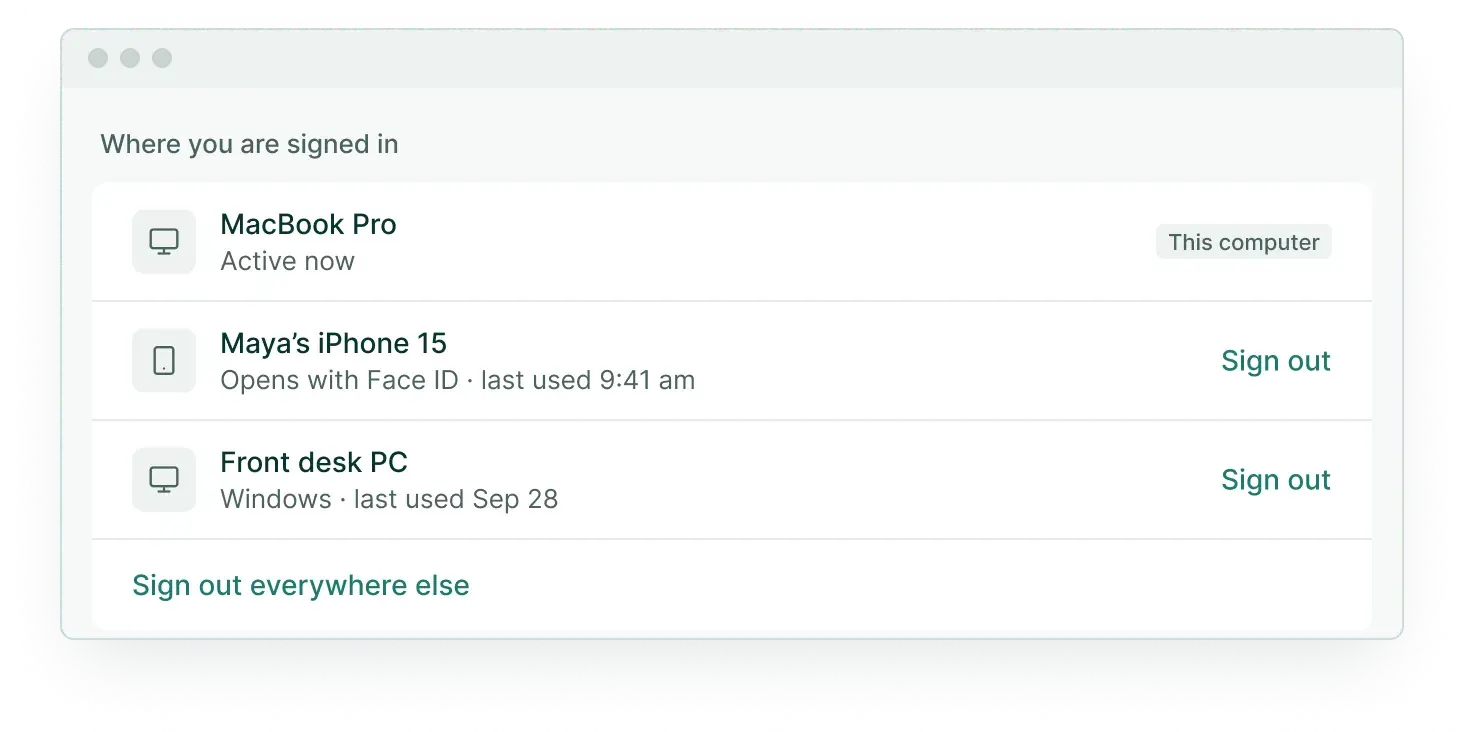
The keys that open your patients’ information live only on the computers and phones your team links. We keep sealed copies we can’t open. When someone leaves, their devices are signed out and their access ends.
Signing in takes more than a password.
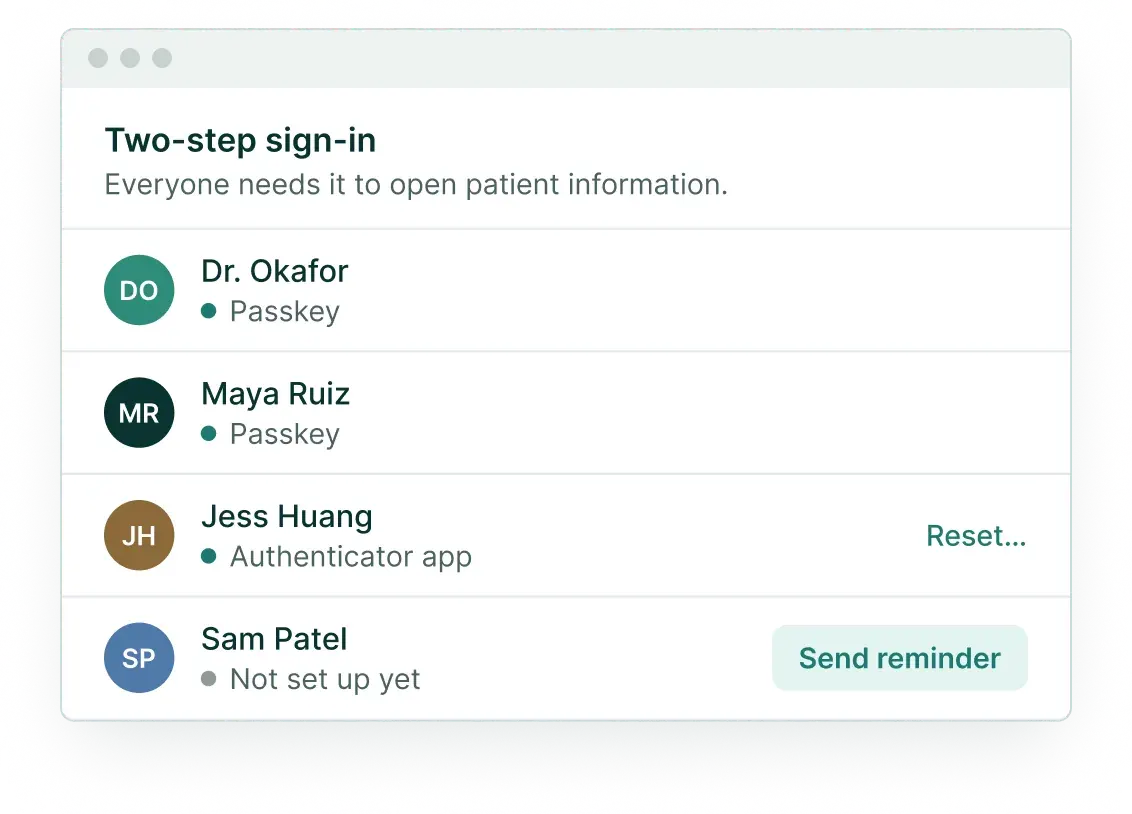
Two-step before any patient information
An authenticator app or a passkey, for everyone on the team.
Sessions end every 12 hours
Phones and Macs with Touch ID renew with Face ID, a fingerprint or the phone’s passcode.
Locks when you step away
Desktop apps lock after 30 minutes without use (you can choose sooner) and when the computer sleeps. On phones, Soli sits behind your phone’s own lock and asks for Face ID, a fingerprint or the passcode again on a schedule you choose.
Resets can’t take an account
A password reset never removes two-step. Lost both? An owner or admin resets it, which signs that person out everywhere.
If a phone goes missing
Remove it, and it erases itself.
- 1
You or an admin removes it in Settings.
- 2
It’s signed out within seconds.
- 3
It erases its Soli data the next time it connects.
- 4
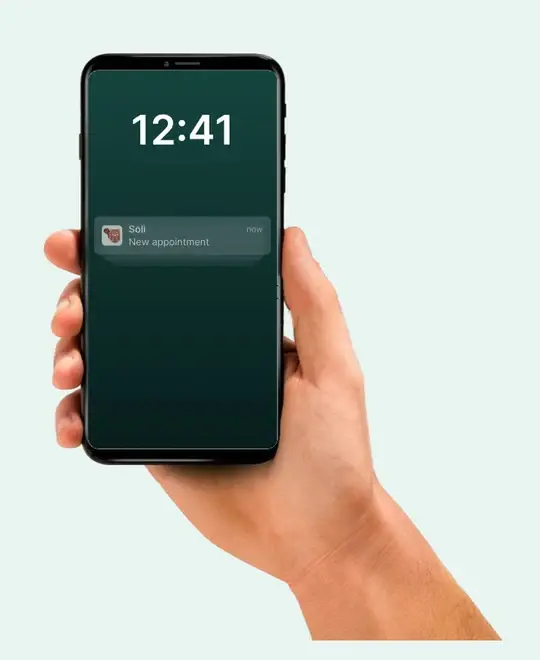
Its lock screen only ever said “New message”.
A record of who changed what
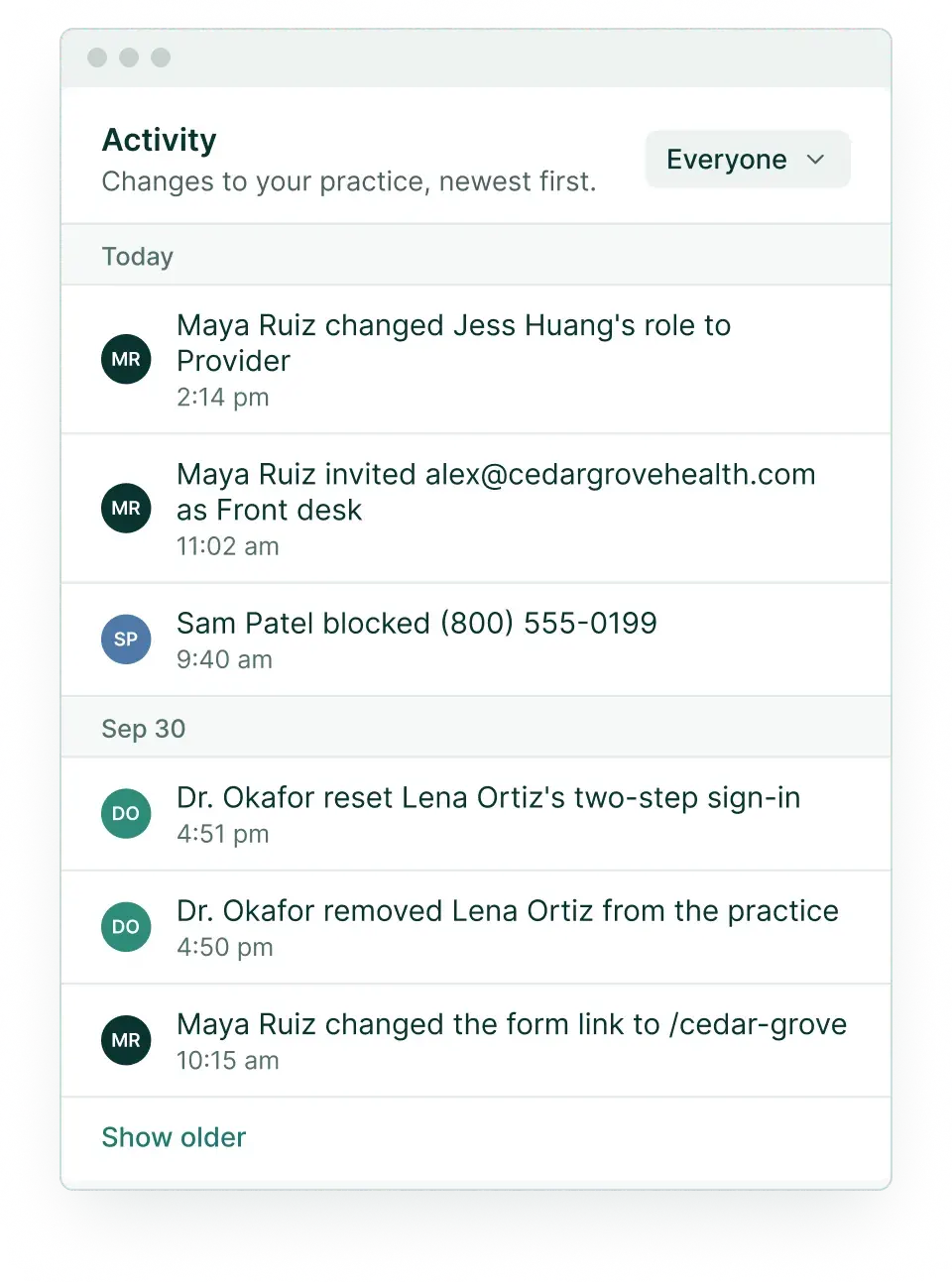
Owners and admins see changes to the team, two-step sign-in, practice details, keys and phones, newest first.
The paperwork
A BAA comes with every plan, and you sign it when you start. Our Terms and Privacy Policy are here any time, and customers can see our subprocessor list in the app. Every line also has a registered 911 address.
Is Soli HIPAA compliant?
Soli is built for HIPAA: every plan includes a BAA, two-step sign-in, sealed storage and an activity log. HIPAA also asks things of your practice, like training your team and using secure chat for health details.
Are texts and calls encrypted?
No. Texts and calls travel through the phone network like any text or call. For health details, move the conversation to secure chat.
Can Soli staff read our patients’ information?
Not form answers, secure chats or stored voicemails: those are sealed to your practice’s keys. We can read form contact details to send your emails and reminders.
Is the AI receptionist covered by the BAA?
Not yet. BAA coverage is coming soon. Until then, the AI receptionist is built to stay out of health details: it never asks about symptoms, conditions or insurance, takes only a name and number to book, seals callback requests to your practice and keeps no transcripts. Call screening deletes a caller’s recorded name when the call ends.
What happens when someone leaves?
Remove them from the practice. Their devices are signed out within seconds and their access to lines and forms ends.
Questions from your compliance review?
Email support@meetsoli.com and we’ll answer them in writing.