
Automation
Front desk automation for small healthcare practices.
Reminders go out on their own, and new inquiries hear back the same evening. When someone cancels, you offer the time to your waitlist in one click.
In short
Soli does the follow-ups a busy front desk forgets. Every booking gets a reminder by text or email. New-client inquiries get your welcome and a booking link right away. When a time opens up, you offer it to your waitlist in one click, and automatic texts wait until morning.
Monday, 8:12 pm
Someone finds you online after you’ve gone home.
8:12 pm
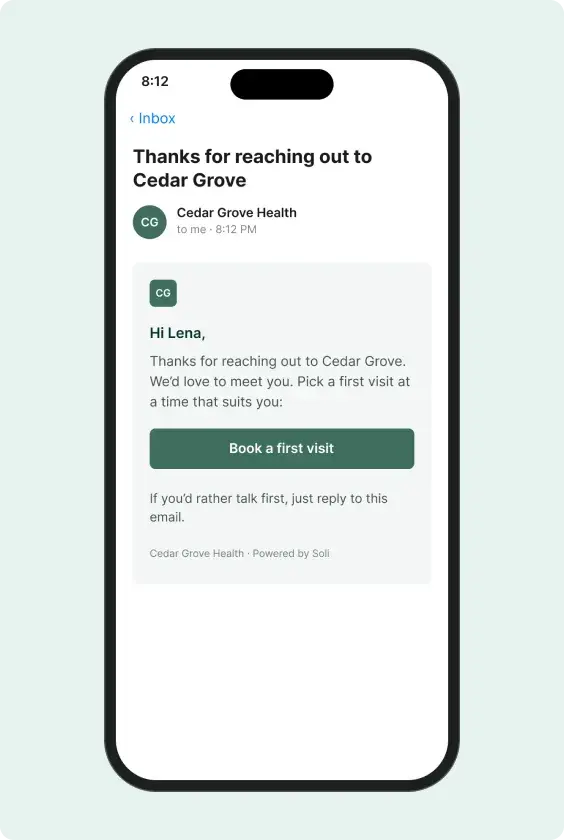
They fill in your contact form
With first reply on, they get your welcome and a Book a time button.
8:20 pm
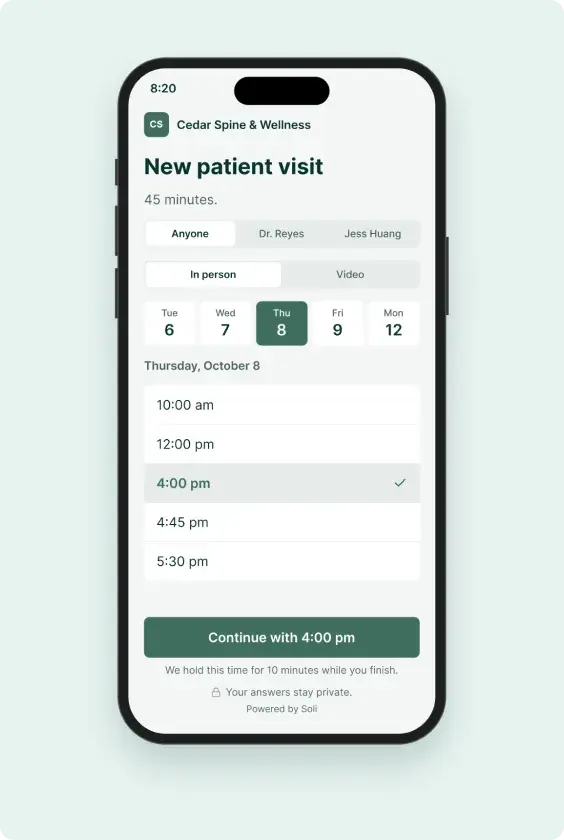
They book Thursday at 3
The reminder is set the moment they book.
Tue, 10:00 am
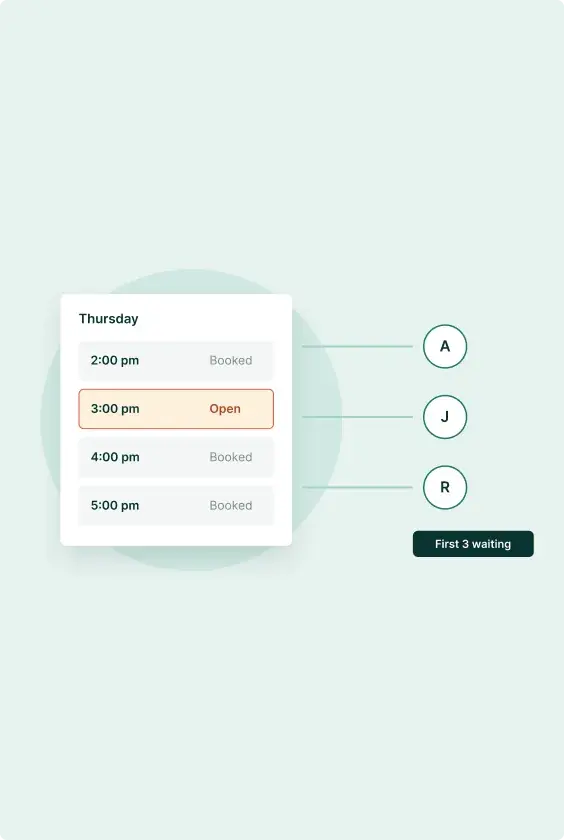
Someone cancels
Offer the time to the first three on your waitlist. The first to book gets it.
Wed, 3:00 pm
The reminder goes out
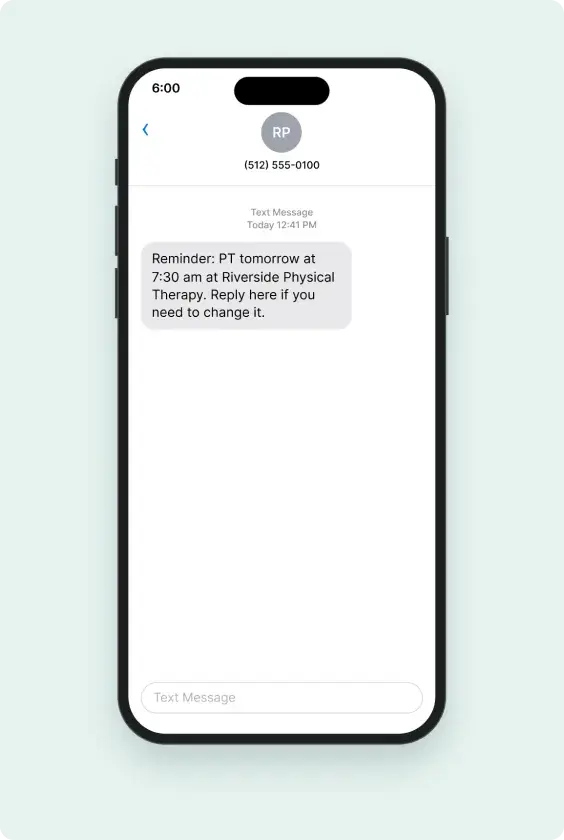
A text the day before. If it would land at night, it goes before 8 pm instead.
What runs on its own
Appointment reminders
Every booking gets one, whether it came from your booking page, your desk or the AI receptionist. Text, email or both, up to three times before the visit.
First reply to new inquiries
When someone fills in your contact form, they get your welcome and a link to book. It stops when they book or you mark it done. Turn it on when you’re ready.
Waiting on you
Anyone who hasn’t booked after a couple of open hours shows up in one list, so nobody slips through.
Open times to your waitlist
Offer a cancelled time to the first person waiting, the first three or everyone. The first to book gets it.
Form automations
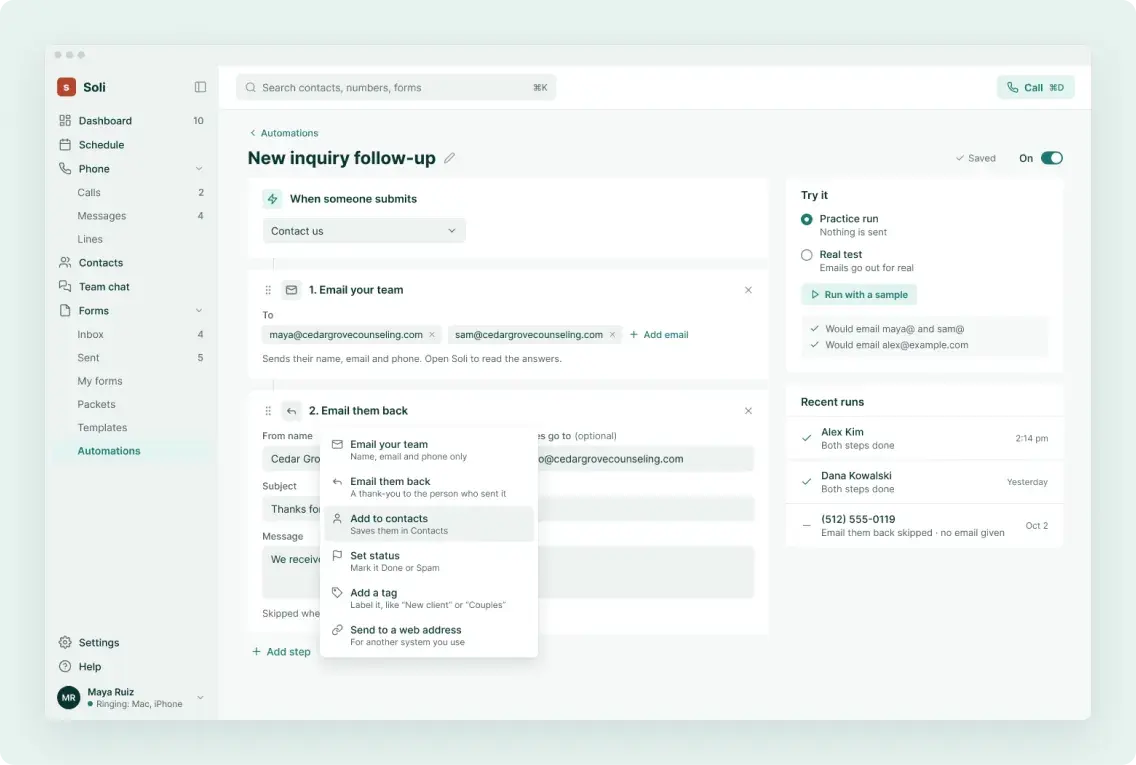
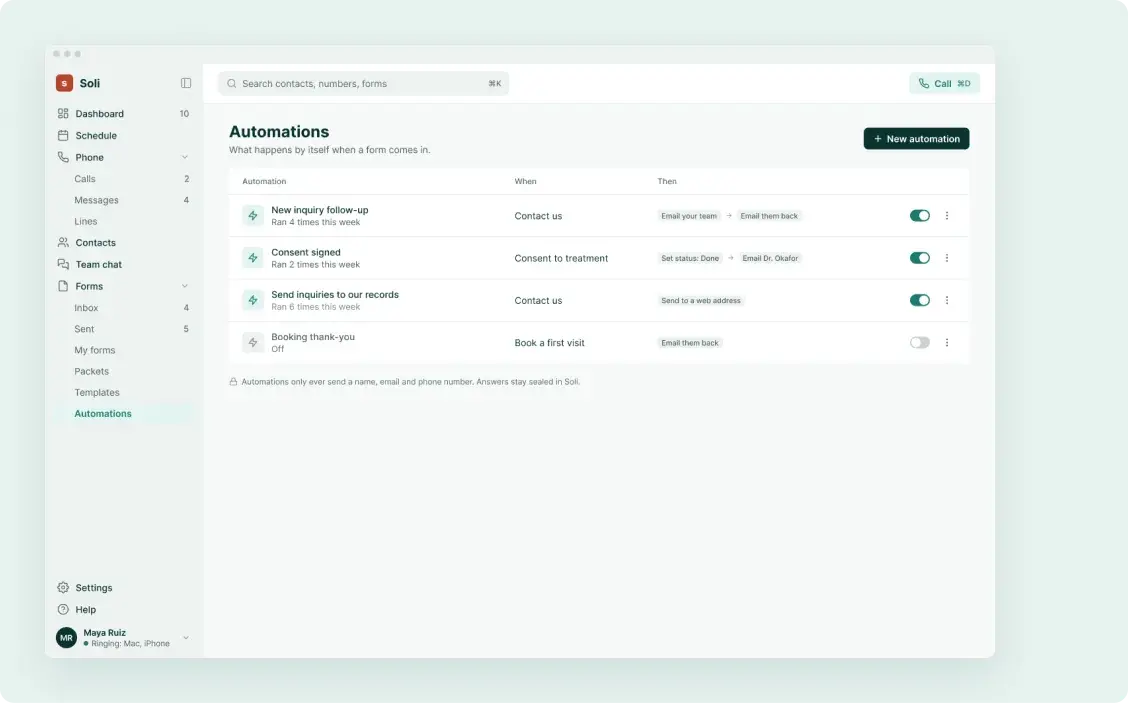
When a form comes in, email your team, send a thank-you, tag it or mark it done.
Packet reminders
Patients who haven’t finished their forms get two reminder emails before the due date.
Quiet hours
Automatic texts wait until 8 am.
Reminders and openings only go out between 8 am and 8 pm in your time zone. You can change the window. Your own replies are never held back.
What it won’t do
Your texts stay about care.
Soli sends reminders, openings and office updates. Mailing lists collect sign-ups you can export, and Soli doesn’t send newsletters.
Plans
Automation is on every plan.
Every plan includes every feature and a BAA, with a 30-day money-back guarantee.
Compare plansSolo
One clinician
$79/month
Practice
A small team
$149/month
Clinic
Several clinicians
$249/month
Questions
Can I change when reminders go out?
Yes. Pick up to three times, from an hour to a week before the visit, by text, email or both.
Will Soli text patients at night?
Not automatically. Reminders and openings only go out between 8 am and 8 pm in your time zone, unless you change the window.
Do texts need anything before they start?
Yes. Carriers have to approve your practice’s texting registration first. Email reminders work right away.
Can I send promotions or newsletters?
Not today. Soli’s texts are for care. Mailing lists collect sign-ups you can export.
Founding practices
Be one of the first practices on Soli.
Founding practices get a setup call with us, the AI receptionist free for 3 months (150 minutes) and today’s price held for 24 months.
Save your founding spot