
Compare
Soli vs Google Forms for client intake
Google Forms is great for sign-ups. For patient intake, the question is who can read the answers. In Soli, only your practice can.
A general form builder
Google Forms
- Free surveys and sign-ups
- Answers flow into Google Sheets
- BAA only through Google Workspace
A practice front desk
Soli
- Form answers sealed so only your practice can read them
- Packets, e-signature and reminders
- Part of your phone, inbox and booking
In short
Google Forms is free and easy. For intake, it’s only covered inside a paid Workspace account, once an admin accepts Google’s BAA. Even then, the BAA covers Google’s servers, not your share button. Who sees the answers is down to your settings. In Soli, every answer is sealed on the patient’s phone, so only your practice can read it. Packets, signatures and booking come with it.
What Google Forms does well
- For surveys and sign-ups, it’s fast, free and everyone knows it.
- Answers drop straight into Google Sheets.
What we found on Google’s site
Forms is covered as part of Google Drive, inside a Workspace account with the BAA accepted.
Source: docs.cloud.google.com/docs/security/compliance/hipaa · checked 14 Oct 2026
Google calls HIPAA “a shared responsibility.” Setting up sharing and access correctly is on you.
Source: docs.cloud.google.com/docs/security/compliance/hipaa · checked 14 Oct 2026
A personal Google account can’t accept the BAA. It has no Admin console.
Source: knowledge.workspace.google.com · HIPAA compliance with Google Workspace · checked 14 Oct 2026
What’s included
| Google Forms | Soli | |
|---|---|---|
| Forms | Yes; you set sharing and access | Yes, answers sealed |
| Calls | Separate Google product | Yes |
| Texts | Separate Google product | Yes |
| Booking | Separate Google product | Yes |
| Secure chat | No | Yes, in the browser |
| Website chat | No | Yes |
| BAA | Workspace BAA after an admin accepts it; you configure it | Every plan (AI receptionist coverage coming soon) |
From each company’s own pricing and plan pages, checked 14 Oct 2026. “Not listed” means we couldn’t find it on those pages.
What two people pay
Google Forms
Paid Workspace plan
A paid Google Workspace plan for each user, needed to use Forms under Google’s BAA. Google currently shows introductory prices, so we don’t quote one.
Soli Solo
$79/month
For the practice: 1 line and 2 team members, with forms, texting, booking, secure chat, website chat and a BAA
Google Workspace may cost less for forms alone. But you set up sharing, access and covered services yourself. Soli seals the answers from the start.
Published prices, monthly billing, before tax, checked 14 Oct 2026. Prices change; check their site.
What Soli does differently
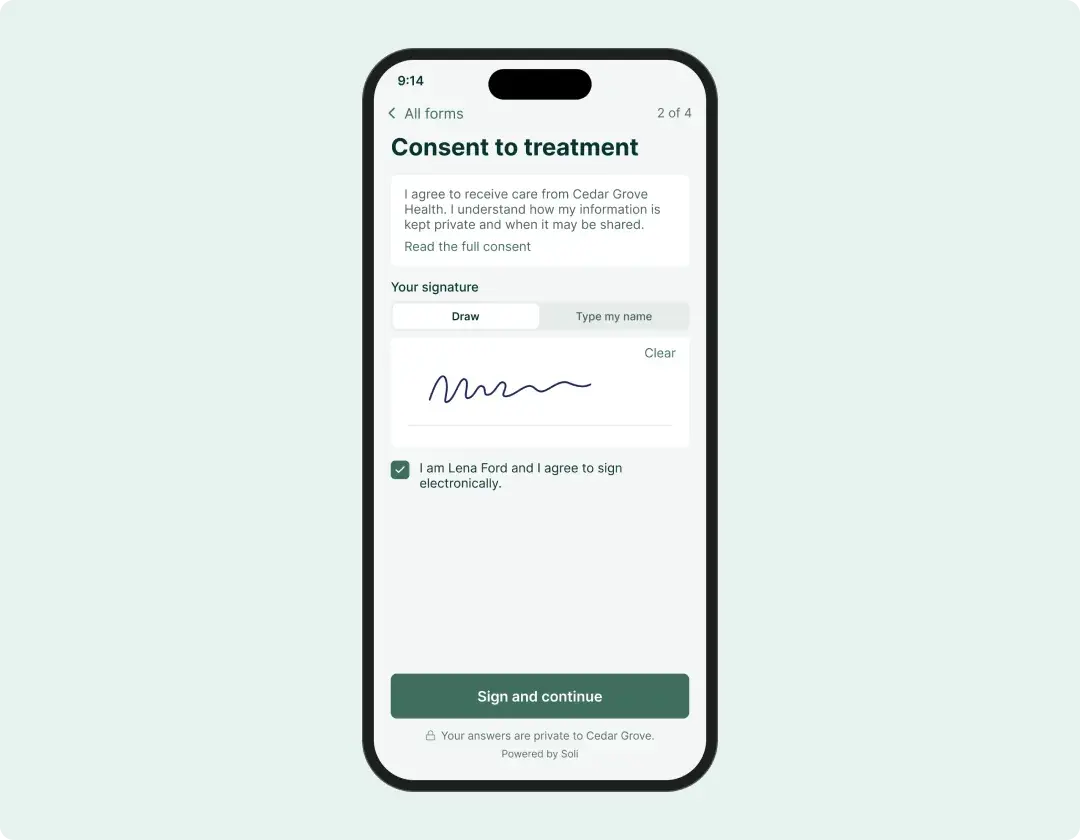
Sealed on the client’s device
Answers are sealed in the patient’s browser with your practice’s keys. Soli can’t read the answers.
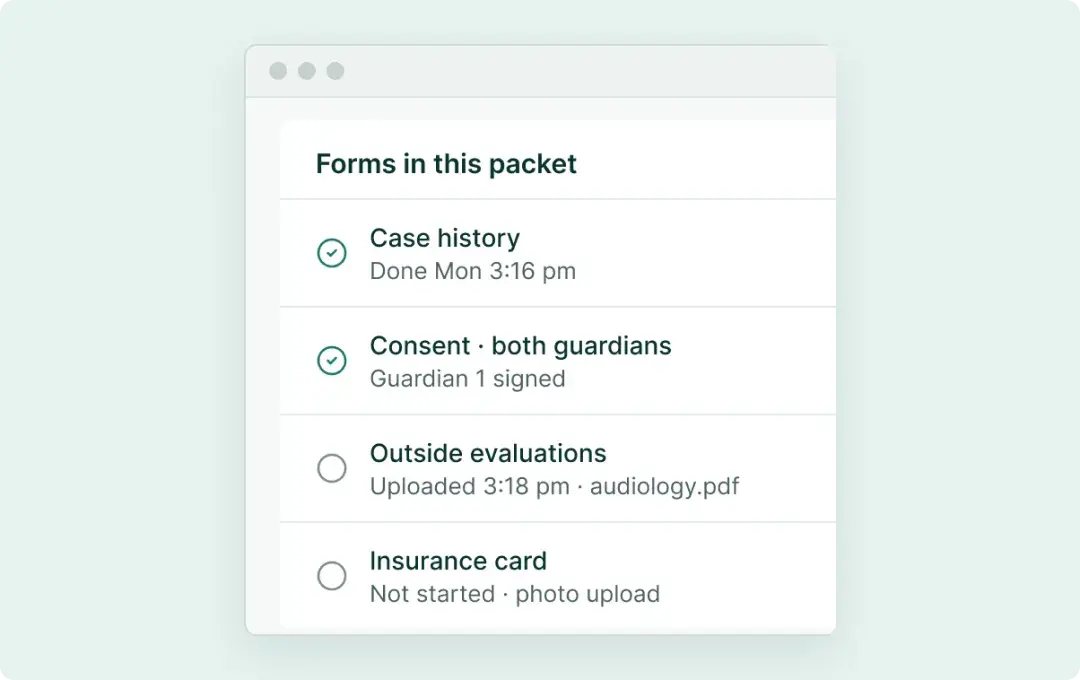
Built for intake
Send several forms as one packet. Patients sign on their phone and add an insurance card photo. Reminders chase what’s missing.
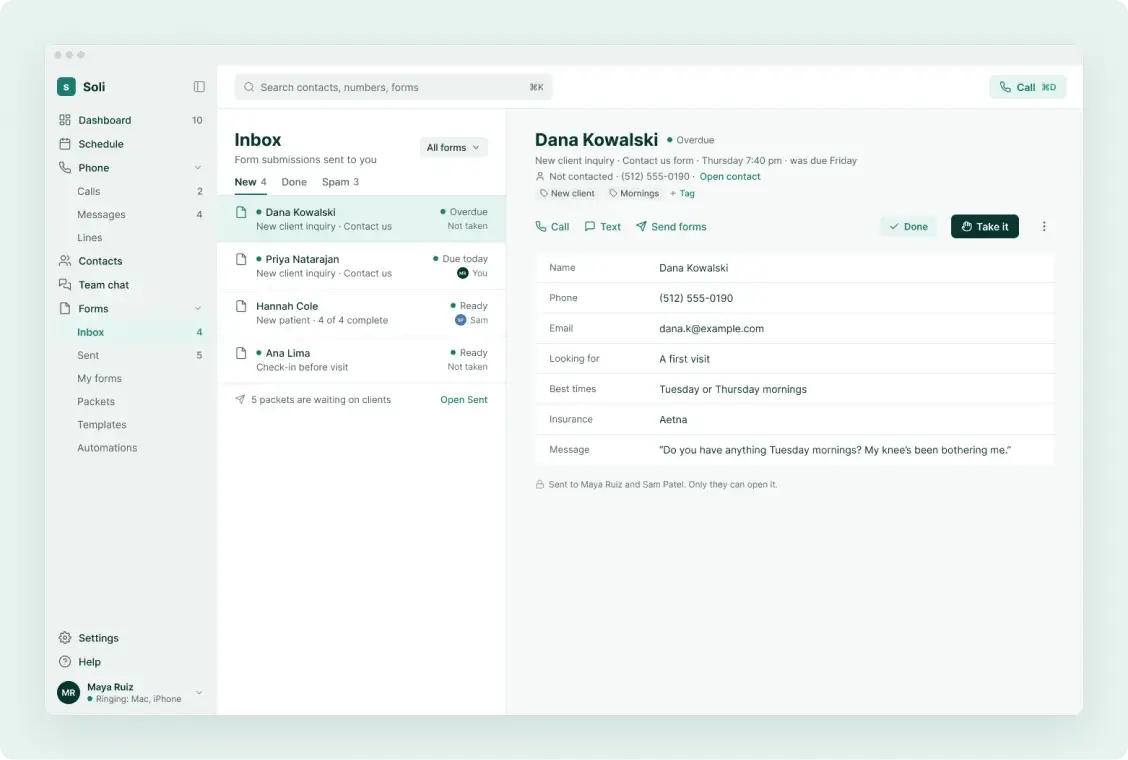
Part of a front desk
Submissions land next to your calls and texts. The person becomes a contact you can call back.
Which one fits your practice?
Google Forms
Use Google Forms for surveys and sign-ups with no health information in them.
Soli
Use Soli for anything a patient tells you about themselves or their care.
Plans
Every feature on every plan.
You pay one price for the whole practice, and every plan comes with a BAA and a 30-day money-back guarantee.
Compare plansSolo
One clinician
$79/month
Practice
A small team
$149/month
Clinic
Several clinicians
$249/month
Questions
Is Google Forms HIPAA compliant?
Only inside a paid Workspace account that has accepted Google’s BAA, set up correctly. A free personal account can’t accept it.
Can clients sign forms in Soli?
Yes. They type or draw their signature on their phone, and it’s sealed with their answers.
Can I put Soli forms on my website?
Yes. Paste a snippet into Squarespace, Wix, WordPress or any site you approve.
Founding practices
Be one of the first practices on Soli.
Founding practices get a setup call with us, the AI receptionist free for 3 months (150 minutes) and today’s price held for 24 months.
Save your founding spot